
Groupbys are a powerful feature that allows you to perform calculations on aggregates of data. Sometimes you need to do a calculation that isn't just based on a record, but rather a collection of records. For example, to compute the average of a field, you can't just use calculations, you need some way of aggregating all records before computing an average.
Check out this video for a quick explaination of what Group Bys are. (or keep reading below)
You can use groupbys in the calculation tab of RLD. At the top of each tab is a section called "GROUP BY" and dragging a field in here will apply the groupby to all calculations on the tab. Think of a groupby as a bucket. When you add fields to the groupby section, you're telling RLD to group records with the same value for those fields together.
Take this example dataset:
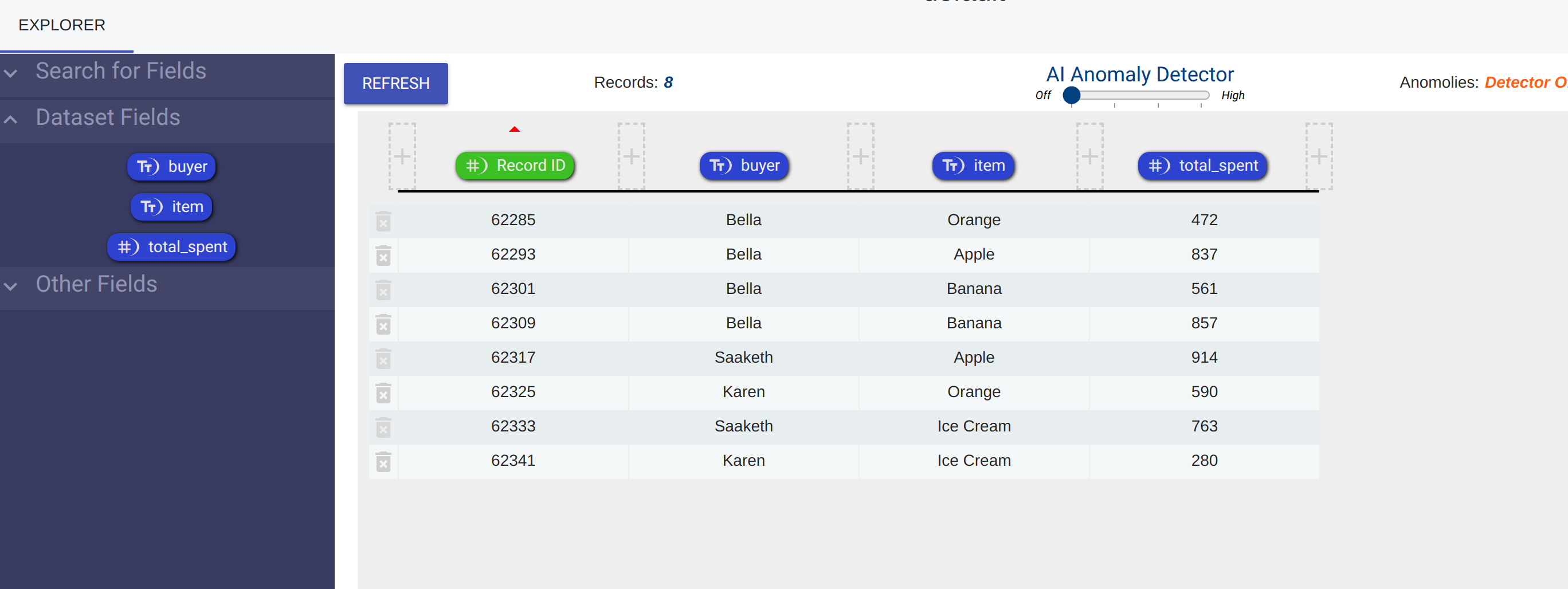
This data represents hypothetical data in a checkout system. As customers make transactions, we add records for their purchases. As you can see we have a field for the buyer, the item, and the total_spent.
Let's say we are interested in how much each customer spent in total across all their purchases. How would we do that? We can groupby the 'buyer' and take a sum. Let's call this sum calculation 'Total Spent Per Buyer'
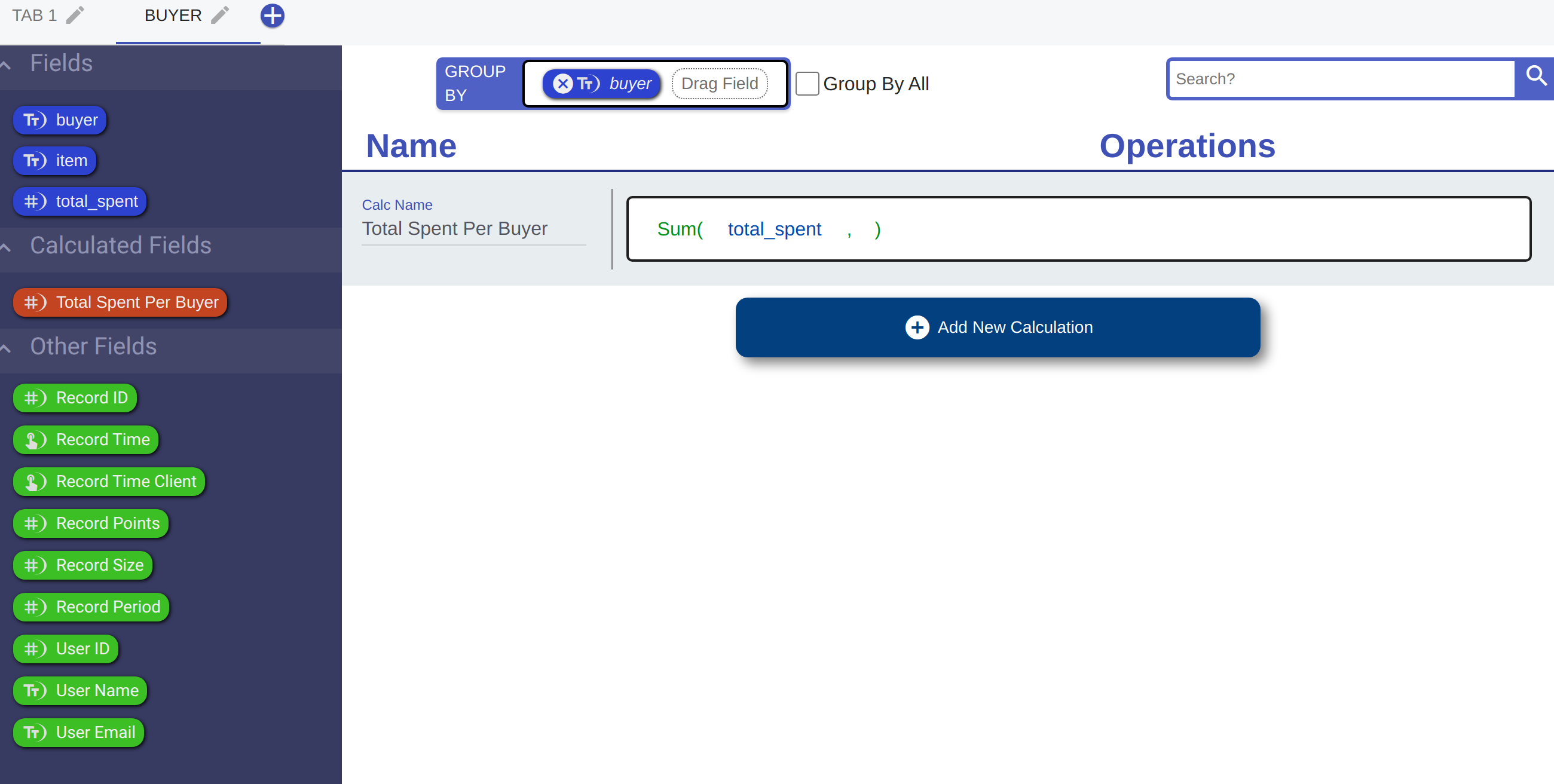
By choosing to group by the 'buyer' at the top of the calculation tab, every time we use a field in a calculation on this page, we are actually using an aggregate version of it.
Too see this more clearly, let's create another calculated field on the same tab called 'Grouped By Buyer'. Although it looks like it's simply equal to the 'total_spent', it's actually an array of values.

If we take a look at the data, we can see that 'Total Spent Per Buyer' is a single number (because it is the sum of an aggregate), but 'Grouped By Buyer' is an array of values because it is just aggregate.
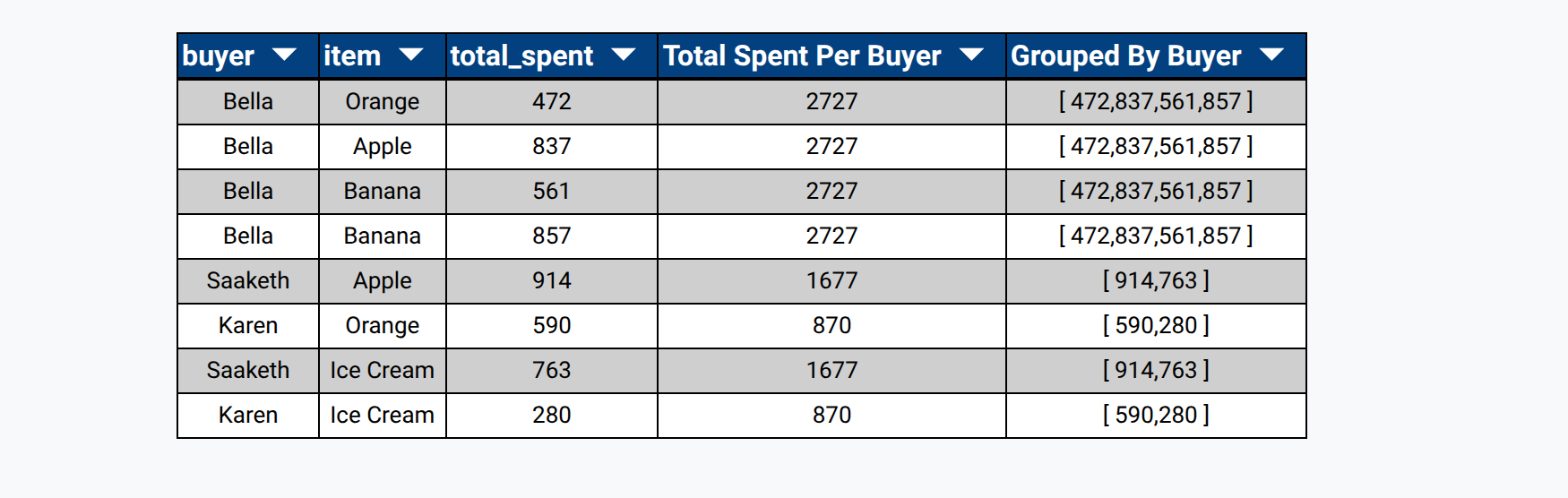
If you look at the table, there is another interesting behaviour. It looks like some records have the same 'Grouped By Buyer' value. The way RLD works is that for groupby fields, all records in the same group get the same value for that field. This may seem unintuitive, but it is a very powerful feature that let's you work with aggregate data as if it was just another part of a record.
Let's go back to our example dataset. Let's say instead of finding out how much each 'buyer' payed in total, we want to know how much each 'buyer' paid in total for each 'item'. We can do that by grouping by multiple fields.
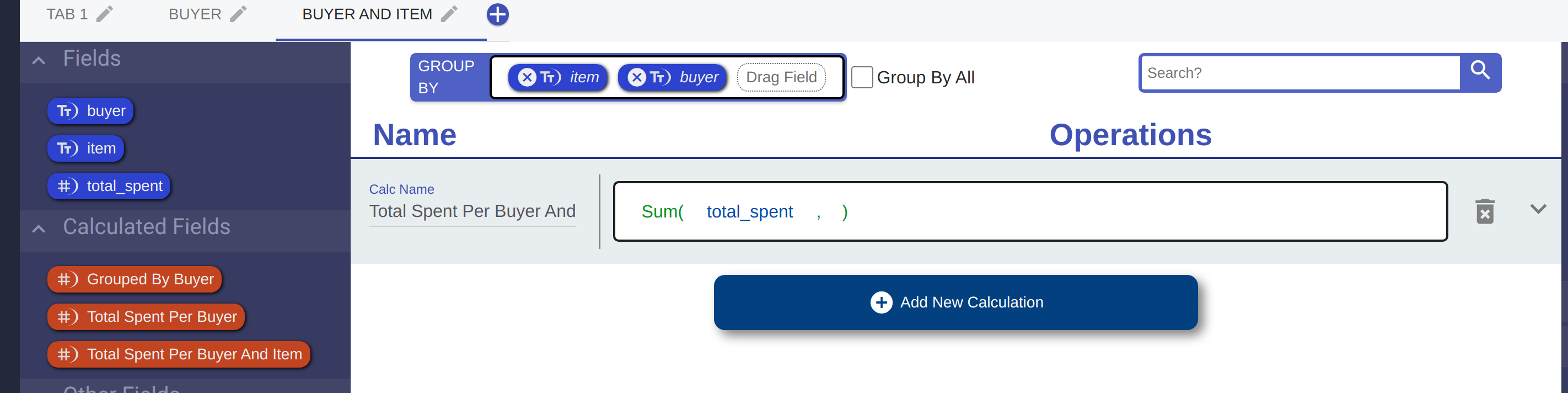
Take a look at our data now.
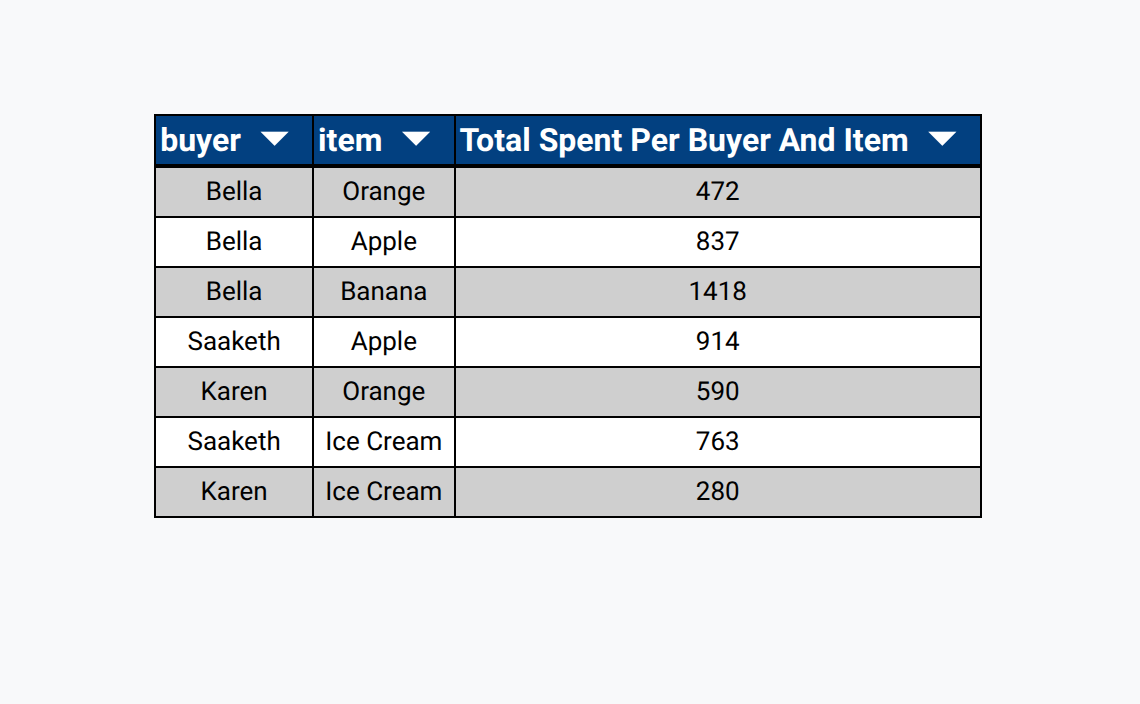
What we've done is ask to sum the total price across every unique combination of 'buyer' and 'item'.
Sometimes, grouping by a specific field or fields isn't enough to aggregate the data how we want. Sometimes, we want to aggregate every field. Luckily, RLD makes that easy to do with the 'Group By All' feature. Essentially, 'Group By All' turns every field into an aggregate.
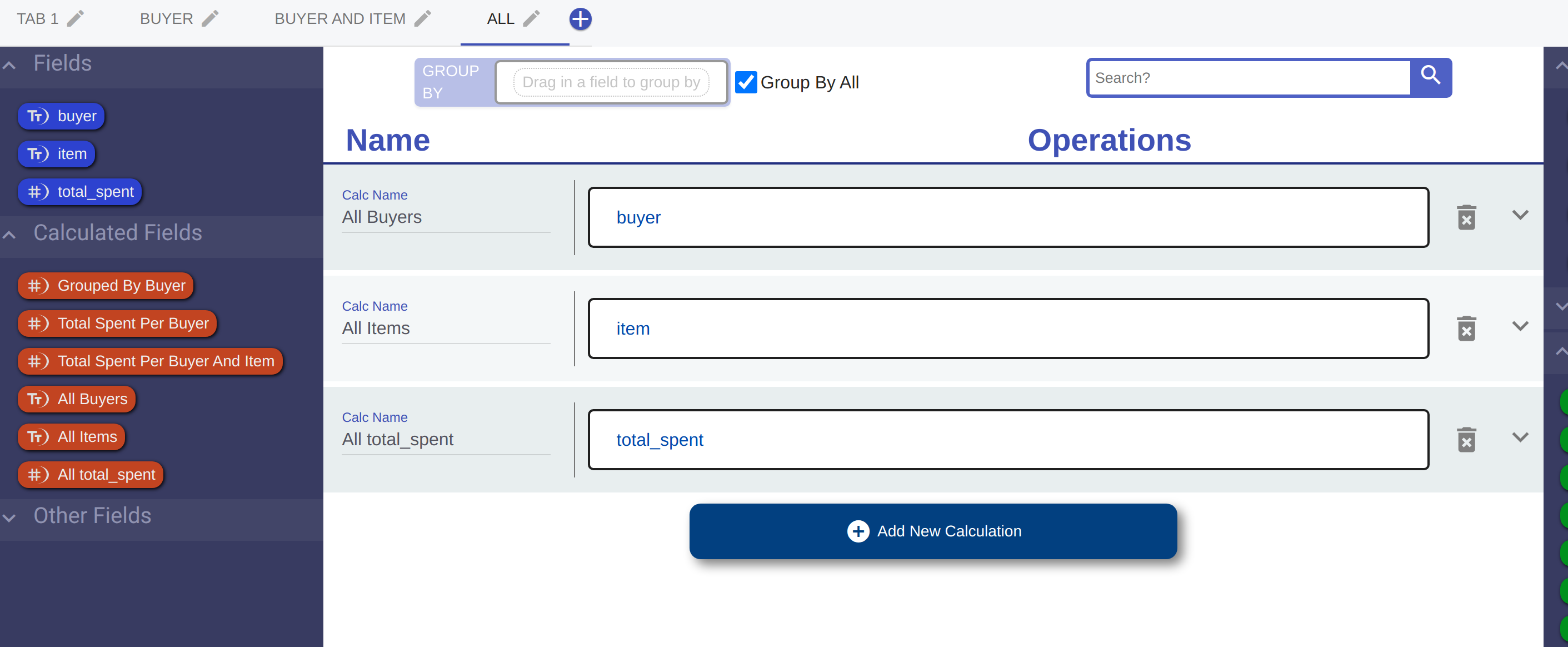

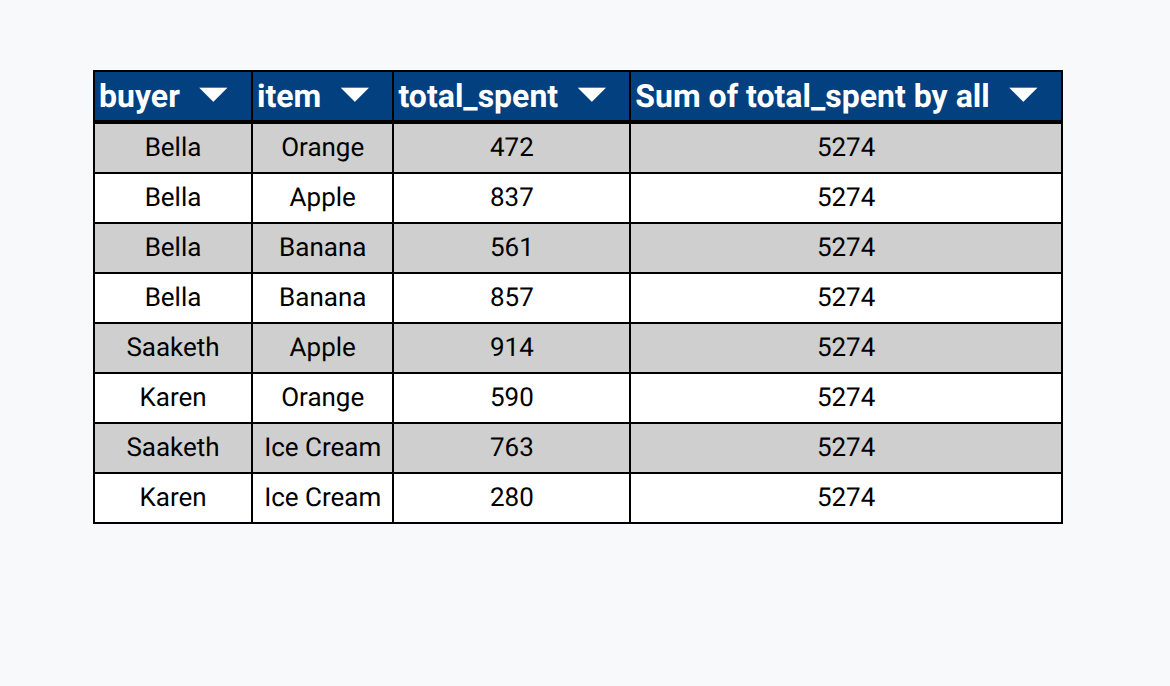
This can be useful when you want to work with aggregate data but not group them by any specific field. For example, now that I've grouped by all, I can calculate the total_spent by everyone combined

 Wiki
Wiki